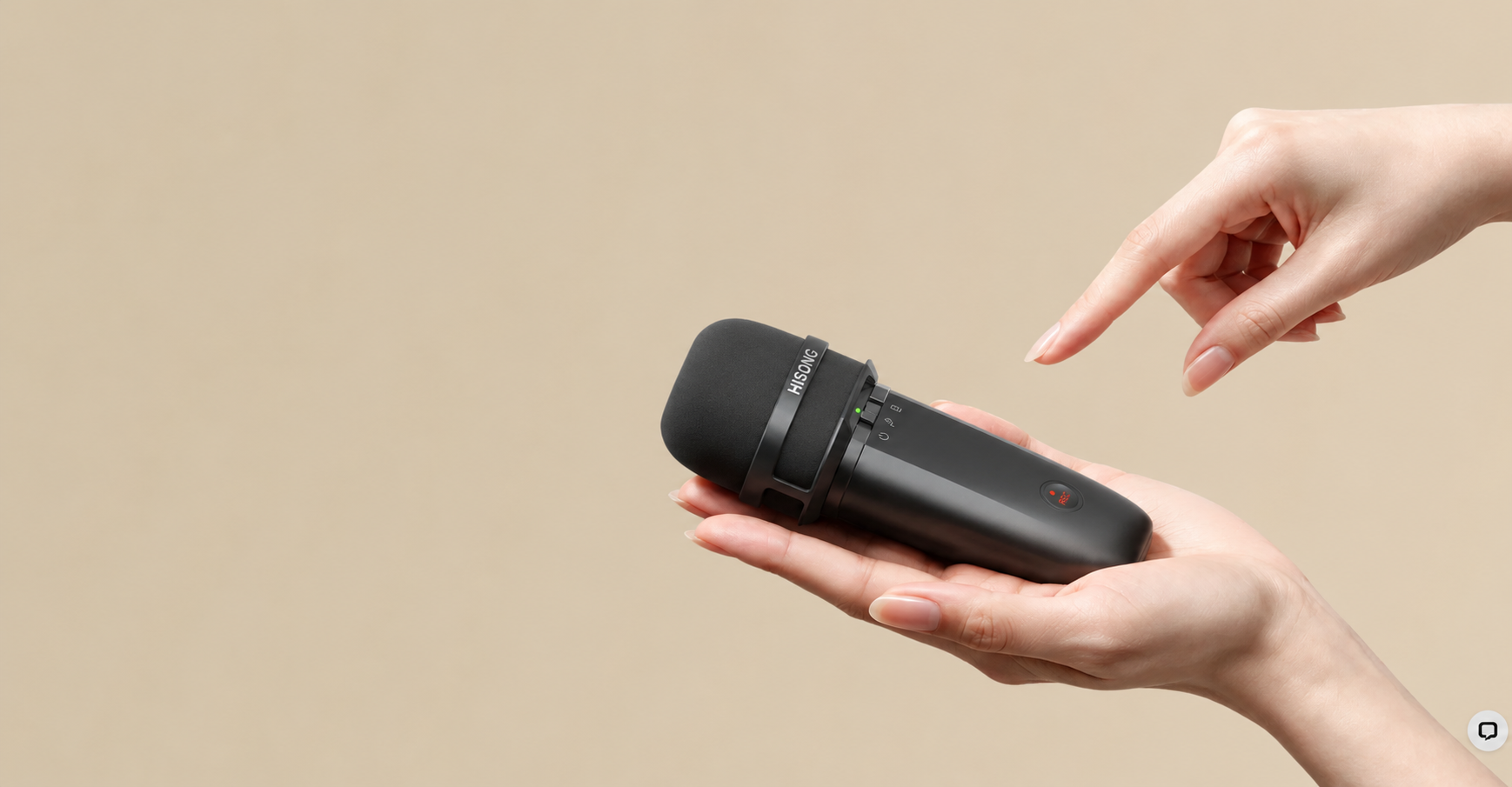
The original HISONG AirStudio S1 was an interesting proposition for mobile musicians, combining a microphone, audio interface, wireless monitoring system and onboard audio processing into a single portable device.
With the AirStudio Muse, HISONG has expanded on that concept considerably. The biggest addition is 64GB of onboard storage, allowing you to record directly onto the device without connecting a phone, tablet or computer.
Alongside improvements to its recording capabilities, Muse retains much of what made the original AirStudio S1 appealing. But how useful is it in practice, and is it a worthwhile upgrade over its predecessor?
Design and Build Quality
The AirStudio Muse retains the compact form factor of the original AirStudio S1. The microphone, wireless monitoring earbuds and Wireless Audio Receiver are housed together, making it easy to transport the entire recording setup.
The included accessories and hard carry case are of good quality, and the physical controls are straightforward to operate.
A three-position switch allows you to power the microphone on and select between its two microphone modes, while additional controls provide access to gain, muting and effect presets. A dedicated record button handles standalone recording.
Despite the number of features HISONG has incorporated into Muse, it remains a relatively uncomplicated device to operate.
Standalone Recording
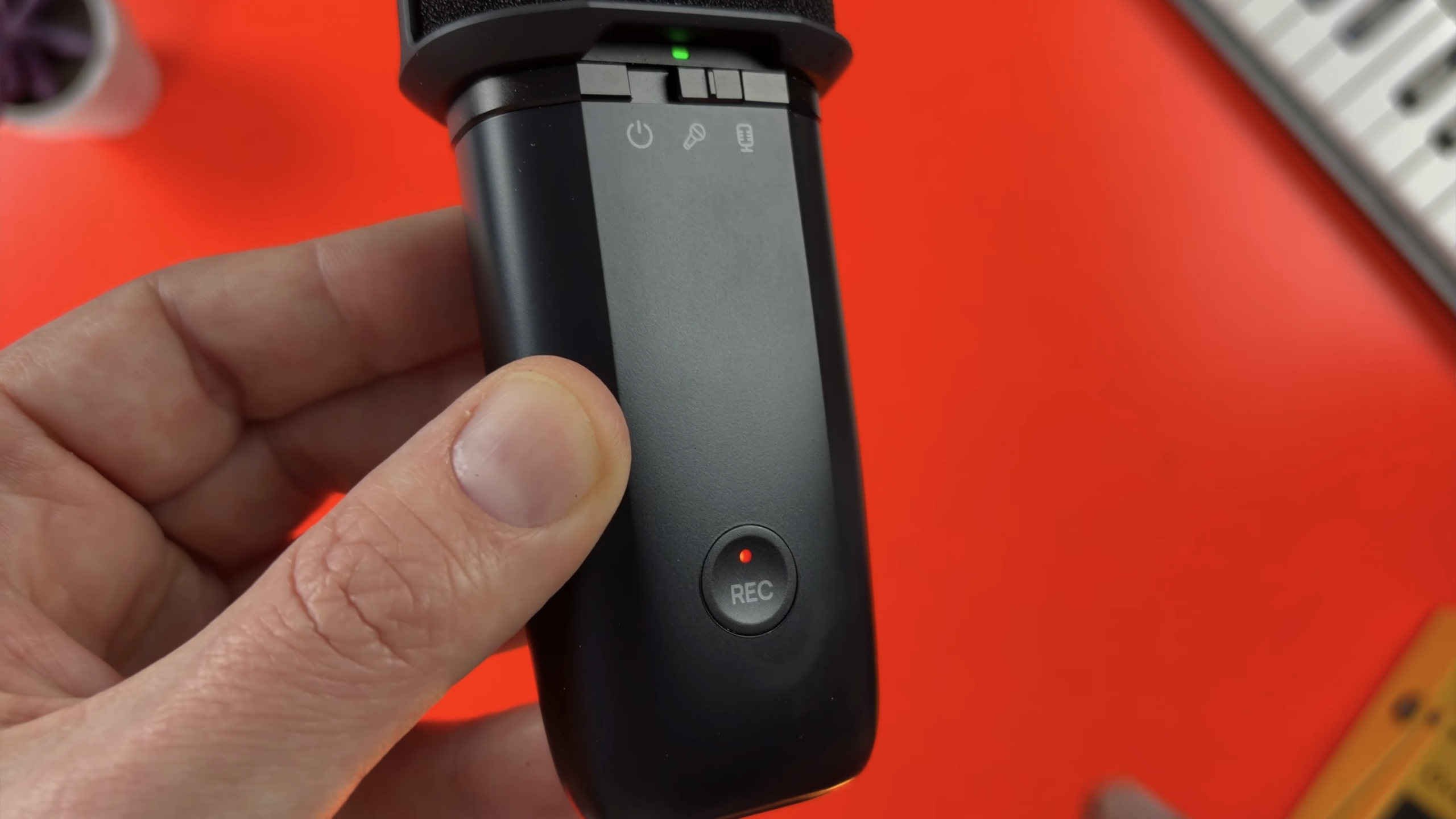
The most significant improvement over the original AirStudio S1 is the ability to record without connecting to another device.
Muse features 64GB of internal storage. Simply switch the microphone on, press the record button and start recording. A red indicator confirms that recording is in progress, and pressing the button again saves the recording to the device.
There’s no need to launch an app, establish a connection or open a DAW before capturing an idea.
The default recording format is 48 kHz / 24-bit, with export at up to 96 kHz / 32-bit float available in supported mono microphone recording workflows. Other recording modes have their own supported formats.
For musicians who frequently find themselves coming up with ideas away from their usual recording setup, this is arguably Muse’s most useful new feature.
Recordings captured on Muse can be accessed through the HISONG Link app or transferred directly to a computer.
In my testing, I enabled File Transfer Mode in HISONG Link, connected Muse to my Mac via USB-C and copied the recorded audio directly into a Logic Pro project.
Alongside the WAV audio file, Muse saves a JSON configuration file containing the effect settings associated with the recording. HISONG Link can use this information to restore those settings when working with the recording in the app.
The WAV file itself can be imported into GarageBand, Logic Pro or another compatible DAW, where you can edit it, apply effects and build an arrangement around your original recording.
This is a workflow I particularly like. Rather than attempting to replace your existing music production software, Muse provides a convenient way of capturing ideas that can be developed further when you’re back in the studio.
Muse can also function as a conventional USB audio interface, allowing you to record directly into your DAW. Just remember to exit File Transfer Mode and switch back to USB audio-interface mode before doing so.
ZeroSync Wireless Audio and Monitoring
HISONG’s ZeroSync technology provides a dedicated wireless audio connection between Muse, its included monitoring earbuds and the Wireless Audio Receiver.
This allows you to hear yourself in real time while simultaneously sending audio wirelessly to a compatible phone, tablet or computer for recording, video production or live streaming.
As with the original AirStudio S1, I found the wireless monitoring experience to be particularly good. The earbuds are comfortable, sound good and introduce remarkably little perceptible delay when monitoring a performance.
Bluetooth is used separately for functions such as app control and backing-track playback.
HISONG also offers an optional Universal Wireless Audio Receiver, which extends compatibility to suitable cameras, mixers and PA systems. Both receivers can output audio simultaneously, although the Universal Wireless Audio Receiver is sold separately.
Microphone Modes and Sound Quality
Muse features HISONG’s VocalSense 2.0 technology, which is designed to preserve natural vocal detail while reducing unwanted background interference.
As with the original AirStudio S1, there are two microphone modes to choose from:
- Condenser: Offers greater sensitivity and captures more subtle detail, making it well suited to vocals and acoustic instruments in quieter recording environments.
- Enhanced Dynamic: Designed for noisier recording environments, helping to bring the voice forward while reducing unwanted background sound.
Both modes produced good results in my indoor recording tests, although there are noticeable differences in tonal character and detail.
For recording vocals or acoustic instruments in a relatively quiet space, Condenser mode would generally be my preference. Enhanced Dynamic mode comes into its own when recording conditions are less predictable.
Outdoor Recording and Noise Reduction
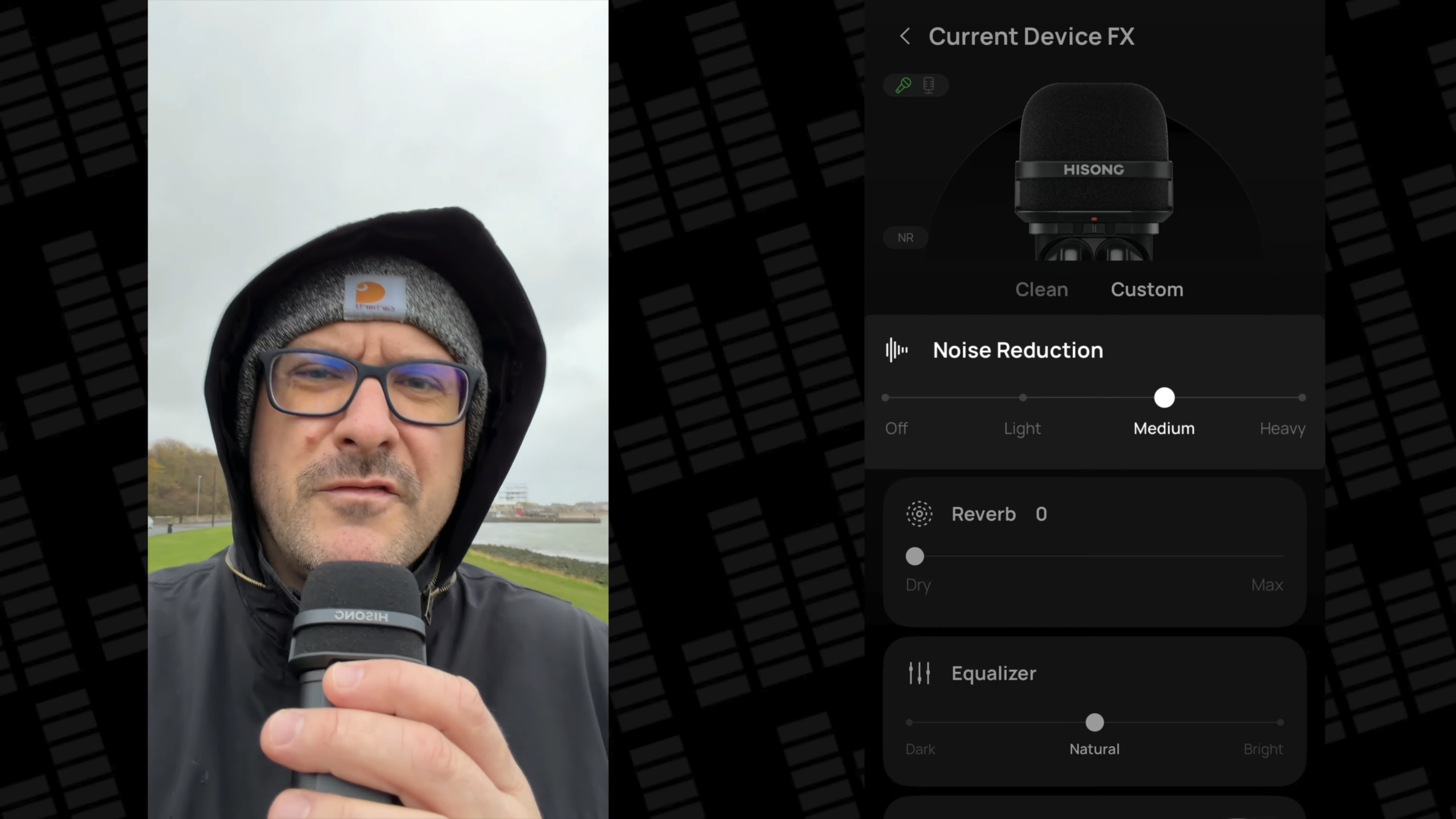
To see how well Muse performs in particularly challenging recording conditions, I took it down to the coast on an exceptionally windy day.
Using Enhanced Dynamic mode, I recorded the same spoken phrase with each of the four available noise reduction settings:
- Off
- Light
- Medium
- Heavy
I also captured recordings using my iPhone to provide a reference for just how challenging the conditions were.
The wind was severe enough to make some of the iPhone recordings almost unintelligible. Muse’s noise reduction made a considerable difference to the clarity of the recorded speech.
What’s particularly important with this kind of processing is not simply how much background noise is removed, but how well the character and intelligibility of the voice are preserved in the process.
Based on my testing, Muse strikes a good balance here. Having several levels of noise reduction available also means you can choose an appropriate amount of processing for your surroundings rather than relying on a single setting.
The iPhone recordings are intended as a real-world reference rather than a controlled microphone comparison. You can hear the results of all four noise reduction settings for yourself in my accompanying video overview at the top of this page.
DualTrack Recording
Another useful feature of the AirStudio Muse is DualTrack recording, which allows you to capture your microphone audio and a backing track separately.
There are two ways to do this.
Onboard DualTrack
With Onboard DualTrack enabled in HISONG Link, you can play a backing track from your phone over Bluetooth, monitor it through the included wireless earbuds and record your performance directly onto Muse.
The microphone audio and backing track are saved as separate WAV files on Muse’s internal storage.
These can then be transferred to your DAW, allowing you to adjust levels, apply effects and edit each recording independently.
App DualTrack
App DualTrack takes a slightly different approach. Muse connects directly to your phone via USB-C, and the recording takes place within the Song Recording section of HISONG Link.
From here, you can record your performance, adjust individual track levels and effects, and export either a combined mix or separate audio tracks.
The fundamental difference is where the recordings are stored. Onboard DualTrack saves recordings directly onto Muse, while App DualTrack saves them on your phone.
It’s worth noting that the included Wireless Audio Receiver delivers a mixed stereo feed. A direct USB-C connection is required for separate vocal and backing-track recording using App DualTrack.
Both DualTrack workflows are useful, particularly for vocalists who want to record performances over existing backing tracks without committing to a permanent mix.
HISONG Link and Included Software
The HISONG Link app provides access to additional audio processing and device settings, including adjustable effects, custom presets, monitoring levels and onboard recording options.
Muse also comes with a licence for Steinberg’s Cubase LE, providing access to recording, editing and mixing software on Mac and Windows.
Connecting Muse directly to an iPhone or iPad via USB-C also unlocks the LE features in Cubasis.
For anyone who doesn’t already own music production software, these are useful additions. Existing GarageBand and Logic Pro users can incorporate Muse into their current recording setup without needing to change software.
HISONG AirStudio Muse vs AirStudio S1
The original AirStudio S1 was already a capable portable recording solution, particularly for musicians looking to combine several pieces of recording equipment into a compact setup.
Muse builds on that foundation rather than fundamentally changing it.
The addition of onboard storage is the most meaningful improvement, transforming the device from something that primarily works alongside a phone or computer into a recording system capable of operating independently.
Onboard DualTrack recording further expands its usefulness, particularly for vocalists and mobile musicians who want greater flexibility when editing their performances later.
If you already own an AirStudio S1 and primarily use it as a USB microphone or audio interface, the upgrade may be less compelling. If standalone recording appeals to you, however, Muse represents a substantial improvement in functionality.