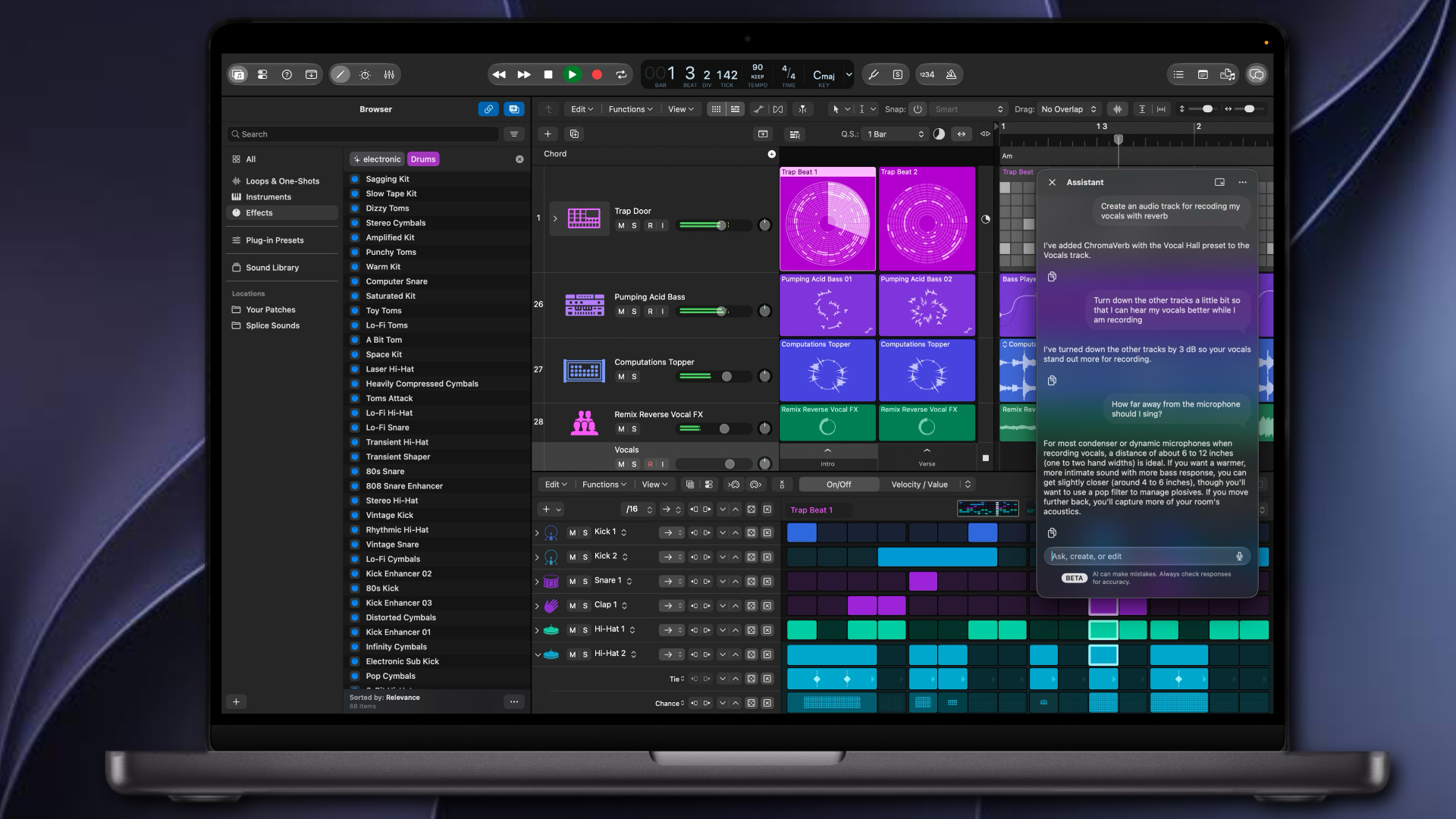
Logic Pro 13 brings several major changes to the Mac version of Apple’s music production software. There’s a new Intelligent Assistant, a redesigned Browser, more detailed drum separation in Stem Splitter, a new Play Surface, Sidecar touch controls and a Liquid Glass redesign.
The Assistant is the headline addition, but it comes with two important requirements: an Apple Creator Studio subscription and macOS 27. That creates a new difference between the subscription and standalone versions of Logic Pro.
The Intelligent Assistant is exclusive to Apple Creator Studio
The beta Intelligent Assistant can understand everyday requests and make changes directly inside a Logic project. You can ask it to create, rename or colour tracks, add plug-ins, adjust effects, set markers, create Step Sequencer patterns and help build chord progressions. It can also answer questions about Logic and music production in general.
The Assistant can handle a range of small tasks that might otherwise involve several menus or steps. For example, you could ask it to set up a track for recording acoustic guitar or add a drum pattern to the Step Sequencer. You can also use voice dictation to make a request.
There is a significant catch: the Assistant requires an Apple Creator Studio subscription. Logic Pro for Mac is still available as a one-time purchase for $199.99 in the US and £199.99 in the UK, but the standalone version does not include the Assistant. For the first time, that creates a feature difference between the subscription and one-time-purchase versions of Logic Pro.
The Assistant is also in beta, and Apple warns that it can make mistakes. Apple says the feature uses a combination of Apple-built models and cloud based models.
A Unified Browser for sounds and samples
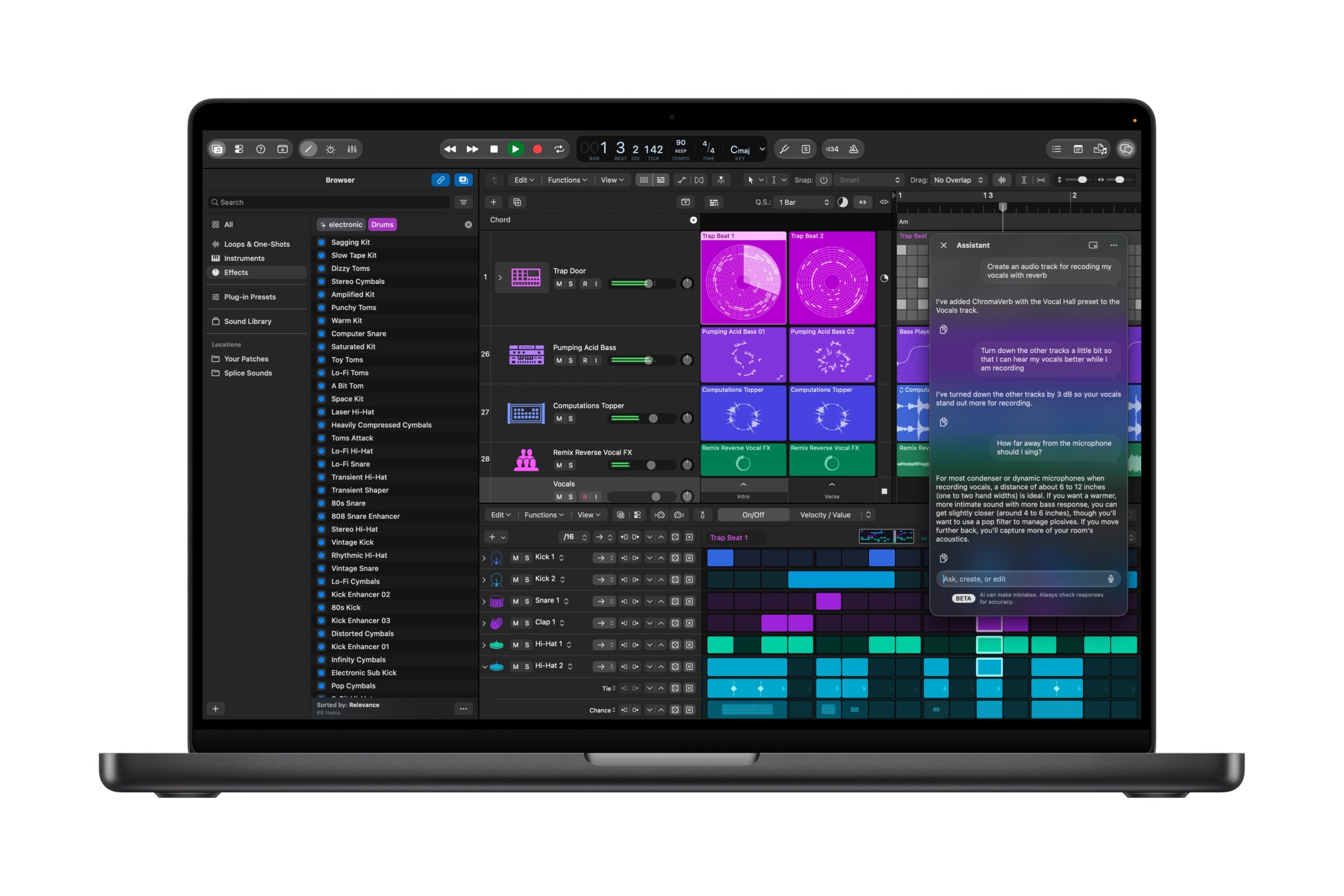
Logic’s redesigned Browser brings the Sound Library, your own samples and patches, plug-in presets, Sampler instruments and downloaded Splice sounds together in one place.
You can search for sounds using everyday descriptions, or use Find Similar to look for sounds like a selected loop or one-shot. Add your own sample folders as Locations and Logic can analyse the files, adding information such as tempo and key so you can search them alongside the built-in sounds.
Favorites, filters and Smart Searches help you return to useful results. If you have a large collection of samples spread across different folders, the Browser could make it much easier to find something that fits a project.
Some of the Browser’s sound-based search and analysis features require Apple silicon and are unavailable when Logic runs under Rosetta.
Stem Splitter now offers an option to extract individual kit pieces from a drum recording. It can separate kick, snare, hi-hat, toms, cymbals and other percussion, either on their own or alongside other stems.
Logic groups the individual drum stems in a summing Track Stack, making them easier to manage together. Apple also says Stem Splitter now accounts for the gain of the original region.
This could be useful for remixing, replacing a particular drum sound or changing the level of one drum element without needing the original multitrack recording. As with any stem separation, the results will depend on the source audio.
Play Surface and Sidecar add new ways to perform
The new Play Surface gives Mac users an on-screen keyboard with Chord Strips or a grid of drum pads. You can play it using your computer keyboard, mouse or trackpad, and it adapts to the instrument on the selected track. Musical Typing remains available.
Chord Strips can use chords from the project key or Chord Track, and you can send chords from the Play Surface directly to the Chord Track. The keyboard also includes an arpeggiator and expressive controls for compatible instruments.
With Sidecar, an iPad can work as a touch display for Logic Pro on the Mac. Multi-touch controls let you move several mixer faders at once, edit Step Sequencer patterns, launch Live Loops cells and control certain plug-ins. The Play Surface also supports touch performance through Sidecar.
Logic Pro 13 has a new Liquid Glass appearance, with translucent surfaces and deeper contrast. The redesign is most visible in the windows, toolbar, local menus and transport controls. Logic continues to use a dark appearance.
Is Logic Pro 13 worth updating for?
The Intelligent Assistant will attract the most attention, but it also comes with the biggest decision: it requires both a Creator Studio subscription and macOS 27. If your studio relies on third-party software or hardware, check compatibility before updating your Mac.
The Unified Browser may prove more useful in everyday work, especially if you rely on a large sample collection. Individual drum stems add practical flexibility, while Play Surface and Sidecar give you more ways to play and control Logic without a traditional MIDI keyboard.
For more details, see Apple’s Logic Pro announcement and the Logic Pro for Mac product page.