Making music on an iPad in 2026 is genuinely brilliant.
You’ve got full DAWs, serious synths, proper mixing tools, and even big desktop developers bringing their flagship plugins over to iPadOS. Whether you’re working in GarageBand or Logic Pro for iPad, there are now thousands of music-making apps available.
But there’s still one glaring omission.
Kontakt.
For years, Native Instruments’ Kontakt has been the backbone of huge sample libraries on desktop. From orchestral instruments to cinematic textures and modern synth libraries, it’s become the standard platform for sample-based instruments.
And on iPad?
It simply doesn’t exist.
So the question becomes: what’s the alternative?
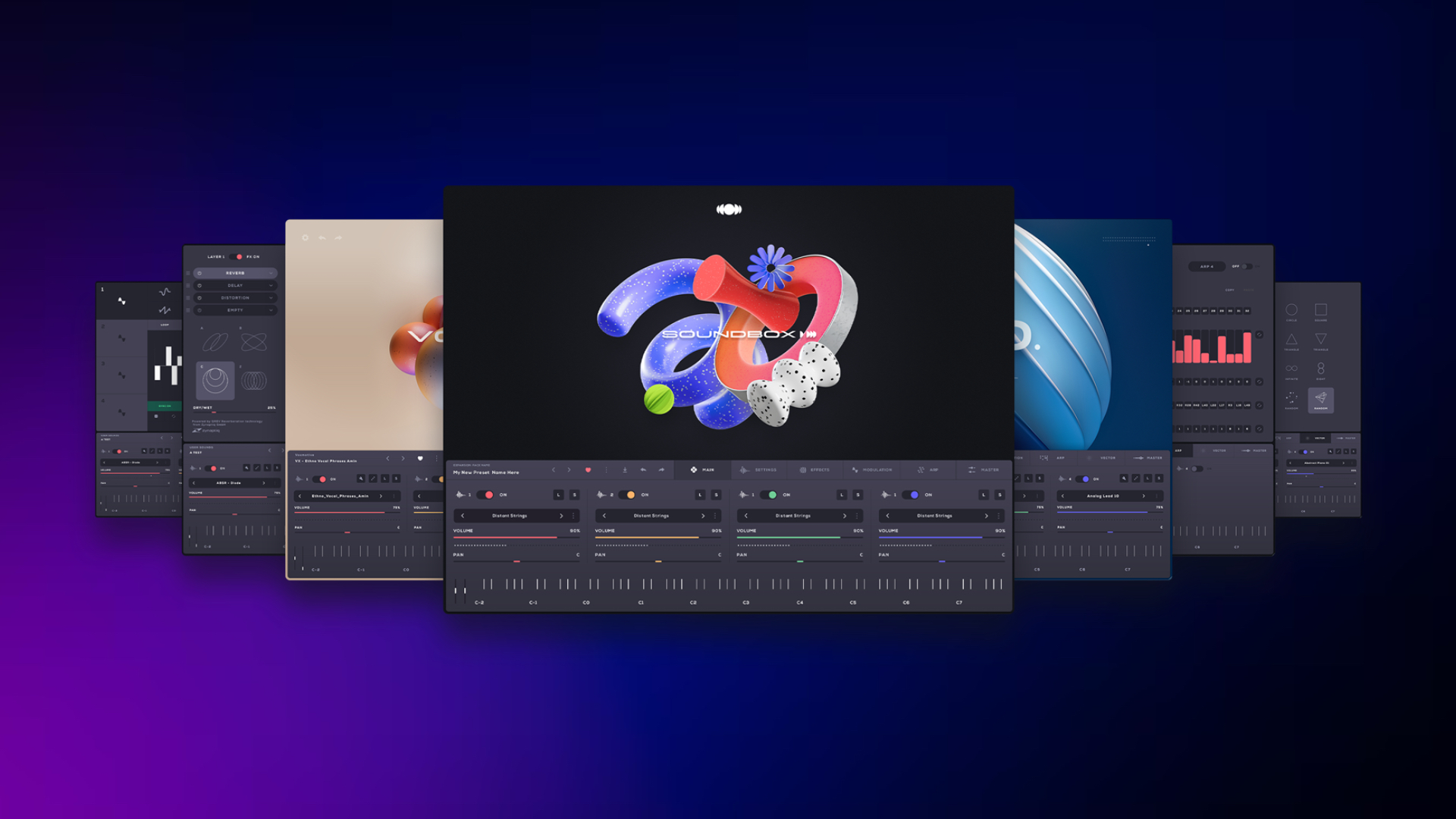
Audiomodern’s Soundbox might be the closest thing we have right now.
It’s a free-to-download instrument platform that runs natively on both iPad and Mac, supports high-quality sample libraries, allows you to build your own instruments, and now includes an intelligent chord generator.
In some important ways, it might even be better suited to the iPad’s touch-first workflow than Kontakt itself…
What Soundbox Actually Is
Soundbox is not a synthesizer.
It isn’t a single instrument with a fixed set of presets.
Instead, it’s better thought of as a universal instrument host. A container capable of loading curated sound packs, third-party libraries, and even custom instruments that you create yourself.
Rather than installing dozens of separate instrument plugins, Soundbox acts as a single platform that houses multiple libraries and instruments inside one environment.
It’s the same concept that made Kontakt so powerful on desktop.
The difference is that Soundbox is built to run natively across modern Apple music production setups.
One Instrument Platform Across iPad and Mac
One of Soundbox’s biggest strengths is its cross-platform workflow.
The plugin works inside:
- GarageBand on iPad
- Logic Pro for iPad
- GarageBand on Mac
- Logic Pro on Mac
- Most other major iPadOS and macOS DAWs
The same plugin, interface, and libraries are available across all platforms.
That means the sounds you create on your iPad are identical to the sounds you’ll open on your Mac.
As long as Soundbox and your sound libraries are installed on both devices, you can start a track on iPad and continue working on it later on your Mac without rebuilding instruments or bouncing audio.
For producers who regularly move between devices, particularly those switching between GarageBand and Logic, that kind of consistency is extremely valuable.
Free Sound Libraries to Get Started
Before diving into Soundbox’s deeper features, it’s worth looking at the free sound libraries available straight out of the box.
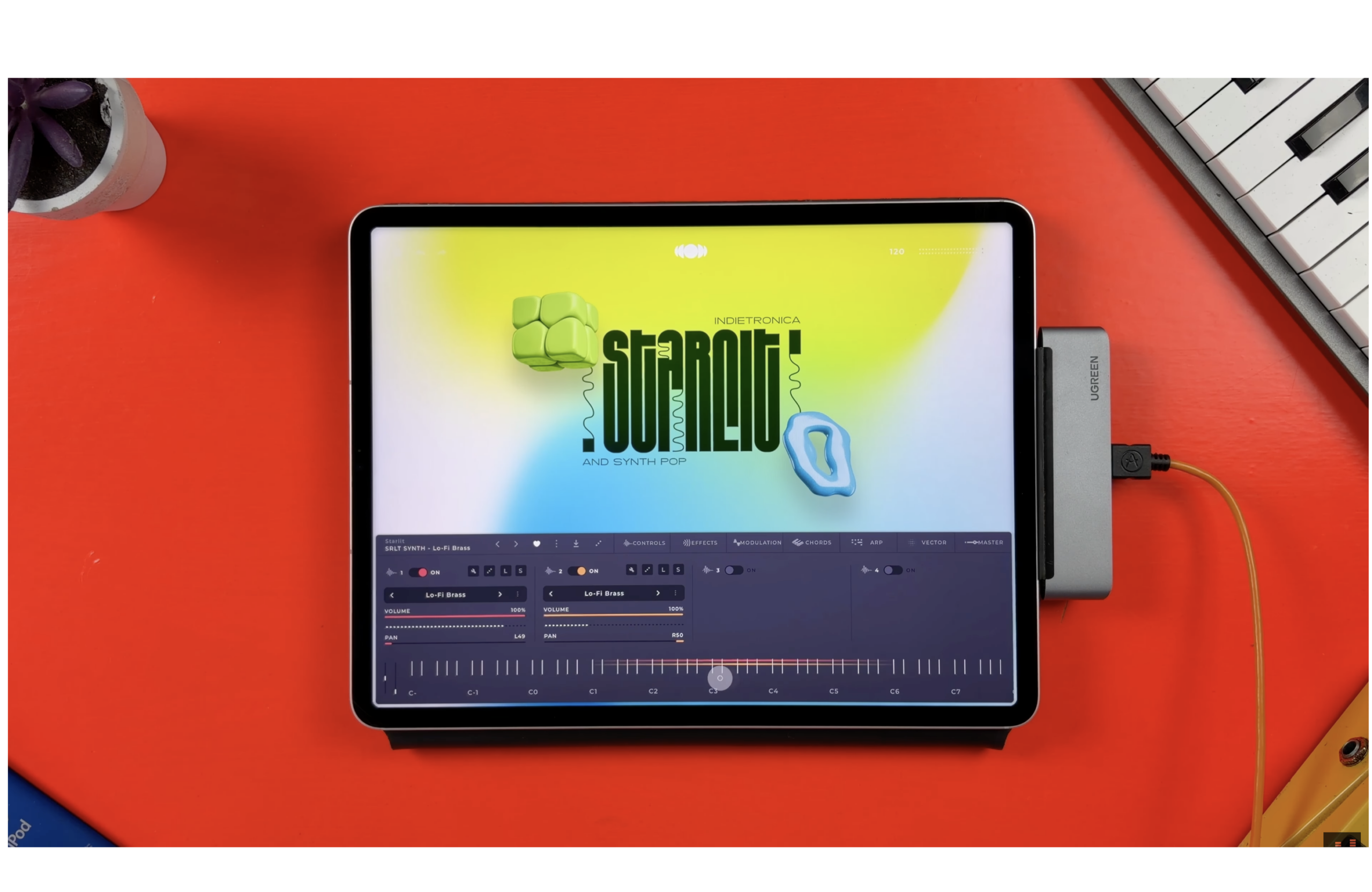
Audiomodern currently offer several free packs that can be downloaded directly from within the Soundbox interface:
Mechania
A collection of electronic textures and modern synth sounds.
Spectra
A library focused on atmospheric pads and ambient electronic soundscapes.
Starlit
A colourful mix of indietronica and synth-pop style patches.
Together these packs provide a sizeable starting palette of sounds that cover everything from cinematic textures to synth-driven pop production.
Importing them into Soundbox is straightforward. From the Sounds menu you can browse available packs, enter your email to download the free libraries, then import them directly into Soundbox using the .sbpack file.
The result is genuine out-of-the-box value without spending a penny.
Of course, the real power of a platform like Soundbox comes from its expanding library ecosystem.
Audiomodern themselves offer a growing catalogue of premium packs, and third-party developers are beginning to release Soundbox-compatible libraries as well.
One notable developer in this space is Kompose Audio, who produce a range of well-designed ambient and cinematic libraries for Soundbox.
If you enjoy atmospheric textures, evolving pads, and soundscape-style instruments, these libraries are particularly impressive.
The overall experience feels similar to browsing Kontakt libraries on desktop, but with a far simpler setup process. There’s no complex file management or complicated installation steps. Libraries download, import, and appear instantly within Soundbox.
The Four-Layer Sound Engine
What really sets Soundbox apart from many other sample platforms is its four-layer architecture.
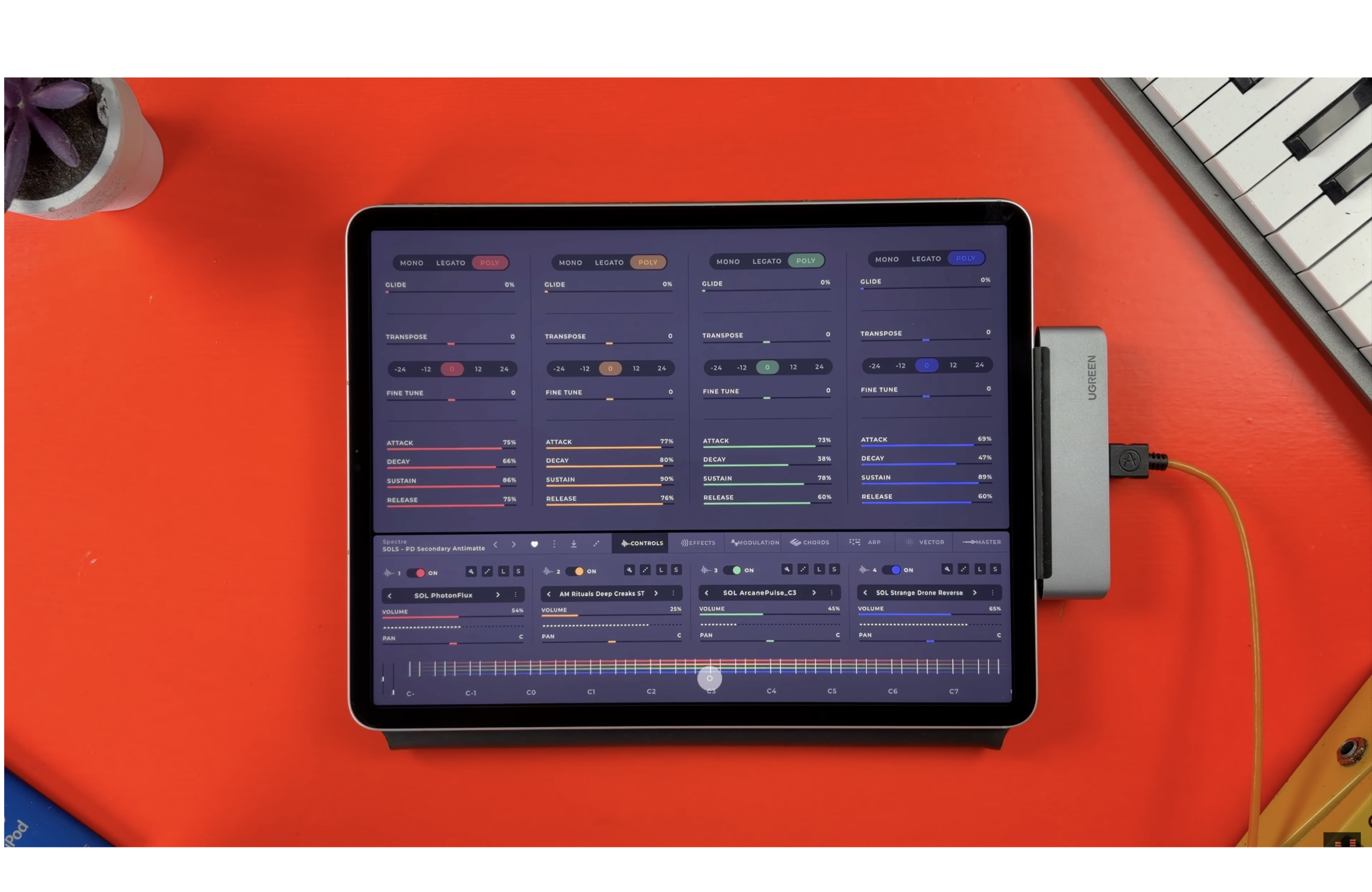
Each preset can contain up to four independent sample layers, allowing instruments to be stacked, blended, and modulated together.
Each layer includes deep control over parameters such as:
- Volume and pan
- Solo and mute controls
- Mono, legato, and polyphonic modes
- Glide
- Pitch adjustments in semitones or octaves
- Independent groups of mapped samples
Layers can also be linked together for unified adjustments, copied between slots, or cleared entirely to rebuild sounds from scratch.
This flexibility allows Soundbox to create lush layered textures, complex evolving sounds, and intricate rhythmic patches.
Each layer also includes its own effects chain.
Four insert effects can be applied per layer, with an additional four effects available on the master output.
Available effects include:
- Reverb powered by Zynaptiq
- Delay
- EQ
- Filter
- Distortion
- Chorus
- Phaser
- Lo-fi processing
- Compressor
- Limiter
- Noise generation
Effects can be reordered, duplicated across layers, and bypassed individually.
On the modulation side, each layer features four fully assignable LFO engines.
These can be mapped to almost any parameter and offer a variety of shapes including sine, triangle, square, saw, reverse saw, and sequencer-based modulation.
The sequencer mode allows custom modulation shapes to be drawn manually or generated randomly for evolving motion.
If you’ve used other Audiomodern instruments before, this approach will feel immediately familiar.
Built-In Arpeggiators and Vector Morphing
Each layer in Soundbox also includes its own arpeggiator.
Modes include:
- Up
- Down
- Up and down
- Down and up
- Random
- All
Users can control rate, swing, sequence length, and individual step parameters such as volume, octave, pan, and density.
Sequences can also be randomized and saved for later use.
Another standout feature is the Vector Engine, which allows the four layers of a preset to be blended together using a vector pad.
This creates a morphing effect where sounds evolve and move dynamically over time.
The concept is somewhat similar to the Transform Pad found in GarageBand and Logic Pro’s Alchemy synth, but with additional flexibility thanks to Soundbox’s layered architecture.
The New Chord Generator
One of the most interesting additions in the latest Soundbox update is the Chord Generator.
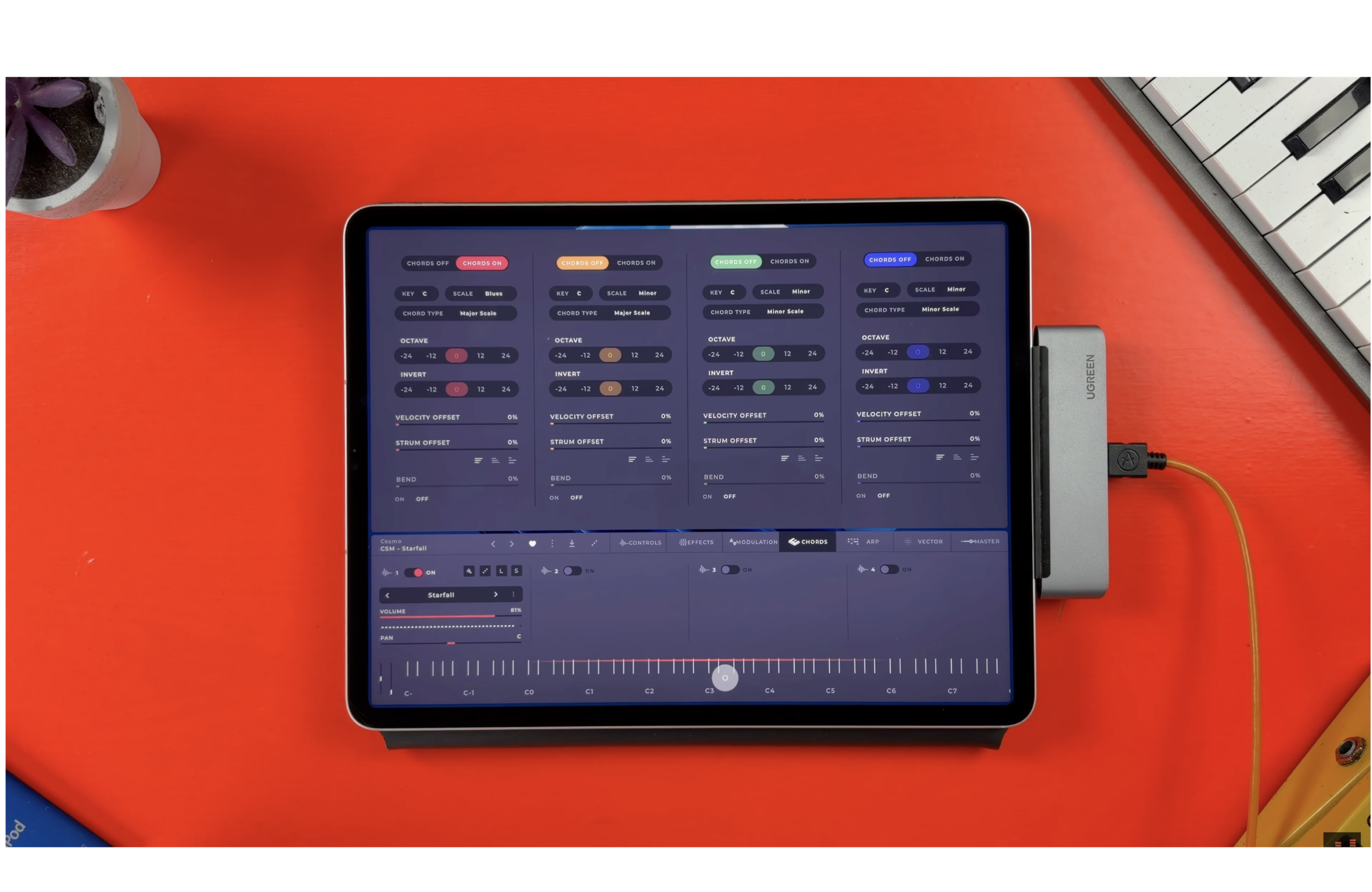
Each layer now includes a dedicated Chord tab.
Once enabled, the feature allows single notes to trigger full harmonically correct chords.
Users can choose a key, select from 42 available scales, and define chord types that automatically generate the appropriate harmonic structure.
Additional controls allow further shaping of the chords.
Octave controls shift chords up or down by up to two octaves, while inversion settings alter chord voicings for different harmonic textures.
Velocity Offset adjusts the dynamic balance between individual notes, making chords sound more natural and expressive.
Strum Offset introduces slight timing differences between notes, creating a more organic playback feel.
And the Bend control allows chords to smoothly transition into one another when trigger notes overlap.
It’s a surprisingly musical feature that can quickly generate ideas and inspire new progressions.Who Soundbox Is For
Soundbox is particularly appealing for several types of producers.
GarageBand users on iPad looking for deeper instrument options will find it a powerful upgrade.
Logic Pro for iPad users moving between desktop and mobile setups will appreciate the seamless cross-platform workflow.
Producers who rely on sample libraries but want a system designed with touch interfaces in mind will likely find Soundbox far more intuitive than traditional desktop platforms.
And anyone who has been waiting for Kontakt to arrive on iPad may find this the closest thing available today.
The Closest Thing to Kontakt on iPad?
Soundbox isn’t a direct replacement for Kontakt.
Kontakt remains a massive ecosystem with thousands of existing libraries.
But as a modern instrument platform designed for today’s music production workflows, Soundbox makes a strong case for itself.
It’s free to download.
It works seamlessly across iPad and Mac.
It includes a growing library ecosystem.
And it provides powerful tools for layering, modulation, and sound design.
For iPad producers in particular, it might just be the most compelling sample platform currently available.