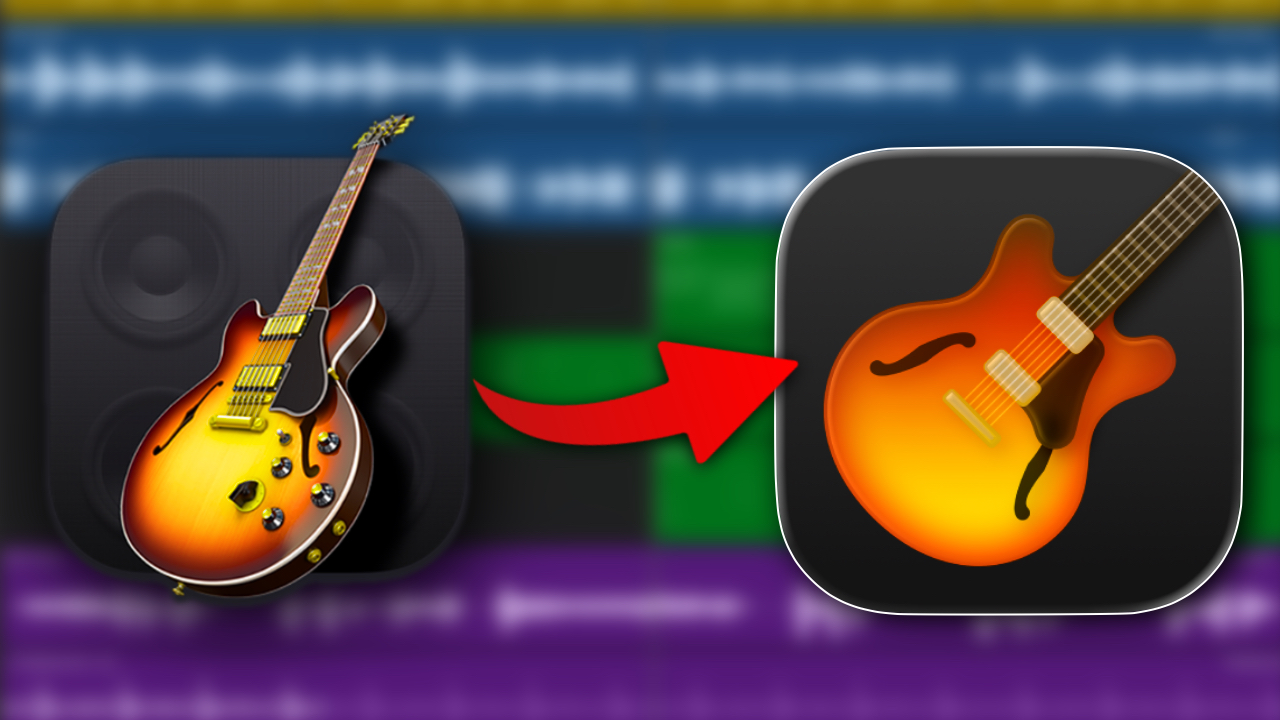
Apple has quietly updated GarageBand for Mac to version 10.4.14. On the surface, this is a minor release with no new instruments or headline features. But underneath, there are a handful of fixes and refinements that make day to day use noticeably smoother.
If you’re using GarageBand regularly, this is one of those updates that is easy to overlook, but worth installing.
A Unified Look Across Mac and iOS
The most obvious change is visual.
GarageBand for Mac now uses the same icon as its iOS counterpart, replacing the more detailed guitar-and-amp design with the simplified, modern look seen on iPhone and iPad.
Functionally, nothing changes. But it does suggest Apple is continuing to align the experience across its platforms, something we’ve seen more of in recent updates to both GarageBand and Logic Pro.
Apple Loops Now Match Your Song Key
One of the more practical improvements in this update is how Apple Loops behave in the Loop Browser.
Loops now preview correctly in the key of your project.
Previously, previewing loops could be inconsistent. What you heard in the browser didn’t always reflect how the loop would sound once dropped into your track, especially when working outside of the loop’s original key.
With this update, that behaviour has been corrected. What you hear during preview should now match the key of your song, making it easier to browse and select loops without second guessing.
For anyone who relies on Apple Loops for sketching ideas or building arrangements quickly, this is a meaningful quality of life improvement.
Sharing projects between devices also gets a small but welcome tweak.
When exporting a GarageBand project to iOS, the destination now defaults to the GarageBand folder in iCloud.
Previously, you had to manually select where the file would be saved. Now, GarageBand assumes the most logical destination, making the process quicker and more predictable.
If you regularly move projects between Mac, iPad, and iPhone, this change removes a small but persistent bit of friction.
Apple has also reduced the overall file size of saved GarageBand projects.
There’s no detailed breakdown of how this has been achieved, but the result is straightforward. Projects take up less storage space, which is especially useful if you’re working with multiple songs or storing everything in iCloud.
It is not a feature you will notice immediately, but over time it adds up.
Bug Fixes That Tidy Up the Experience
Alongside the workflow improvements, version 10.4.14 addresses a few specific issues:
- The Pedalboard no longer shifts position when resizing the window
- Pasting a region into a locked track no longer causes it to appear in an unrelated Piano Roll editor
- The Input menu in Smart Controls is now accessible using VoiceOver
None of these changes are headline grabbing, but they address small frustrations that can interrupt the creative process.
GarageBand 10.4.14 is not a major update, and it does not try to be.
There are no new sounds, instruments, or creative tools here. Instead, Apple has focused on tightening up the experience, fixing inconsistencies, and smoothing out a few rough edges.
The improved Apple Loops preview behaviour is the standout change, particularly for beginners and loop-based workflows. The rest of the update focuses on small refinements that make GarageBand feel more stable and predictable.