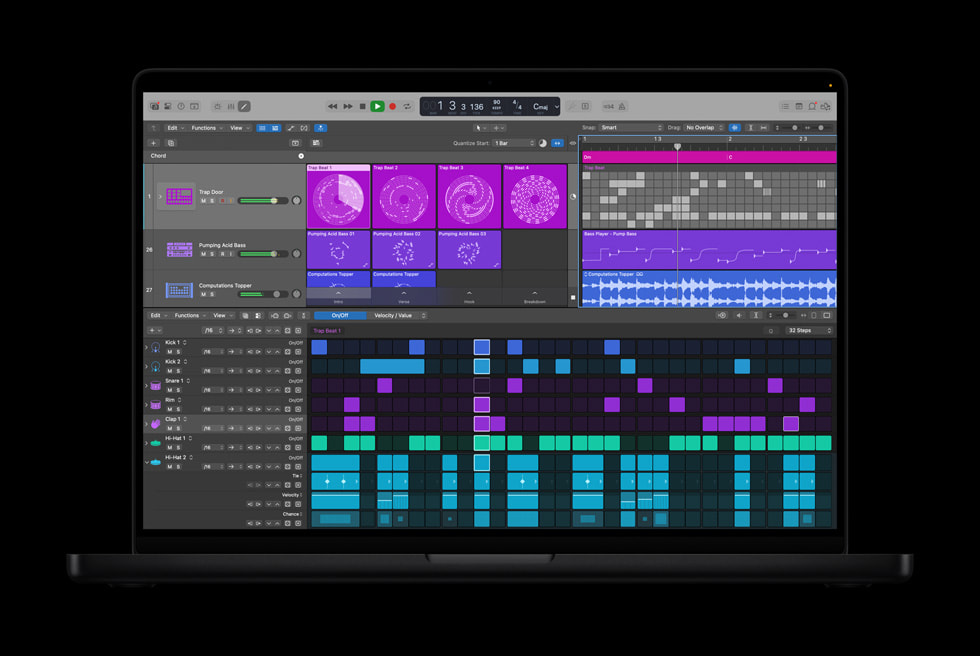
For many GarageBand users, Logic Pro for Mac feels like a serious step up. Bigger interface, more buttons, more options and the assumption that it is only for professionals. In reality, Logic Pro is far more familiar than most GarageBand users expect, because the two apps share the same foundations.
With Apple Creator Studio now making Logic Pro easier to try than ever, this is a good moment to look at what actually changes when you open Logic for the first time, and what stays reassuringly the same.
Logic Pro’s New Project Window Feels Familiar
When you launch Logic Pro, the first thing you see is the New Project window. If you are coming from GarageBand, this layout will feel immediately recognisable. You can create a new empty project, open recent projects, explore templates, or jump into Live Loops.
Live Loops might be new to GarageBand for Mac users, but anyone who has used GarageBand on iPad or iPhone will already feel at home. It is a loop based, non linear workspace designed for experimentation, and while it is powerful, it is not something you need to understand on day one.
Logic also includes demo projects that show what large, complex sessions look like. These are worth exploring out of curiosity, but they can be overwhelming. They are best treated as reference material rather than something to learn from immediately.
Just like GarageBand, project templates are available to speed things up. Choosing a template loads a session with preconfigured tracks, instruments, and routing, which makes Logic feel approachable rather than empty or intimidating.
Track Types Are Mostly the Same
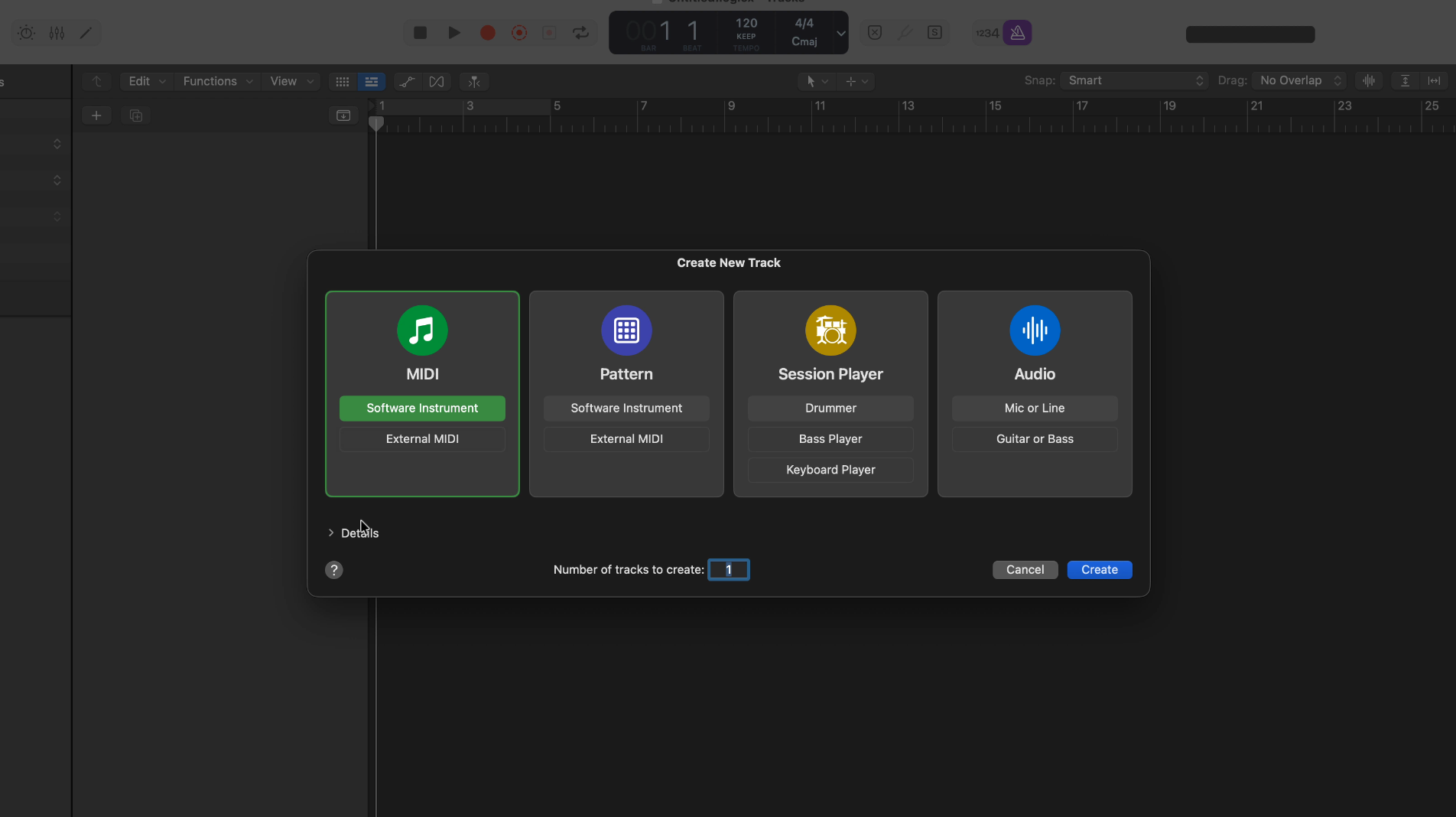
Opening a new project in Logic prompts you to choose a track type. This is one of the first moments where GarageBand users realise how similar the two apps really are.
Software Instrument tracks work exactly as they do in GarageBand. Audio tracks cover microphones, line inputs, and guitars with built in amp modelling. Drummer tracks are still here, but Logic expands the idea with Session Players for bass and keyboards, which follow the same performance based approach.
There are a few new options, such as Pattern tracks, which use step based sequencing. These are powerful, but not essential for beginners. It is perfectly reasonable to ignore them until you feel comfortable with the basics.
Transport Controls and Navigation Stay Consistent
Logic’s transport controls look more complex at first glance, but most of the important buttons are exactly where GarageBand users expect them to be. Play, Record, Cycle, Metronome, Tuner, and Count In are all in familiar positions.
On the left, the Library, Smart Controls, and Editor buttons behave in the same way they do in GarageBand. On the right, the Loop Browser and Notes panel remain easily accessible. Logic also includes a Quick Help feature that explains interface elements as you hover over them, which is invaluable when learning.
Many of the additional buttons can be ignored early on. Logic is designed to scale with you, not overwhelm you all at once.
Channel Strips and the Mixer Bring Everything Together
One of the most important concepts to understand in Logic is the channel strip. Think of a channel strip as GarageBand’s track header and Smart Controls combined into a single vertical strip.
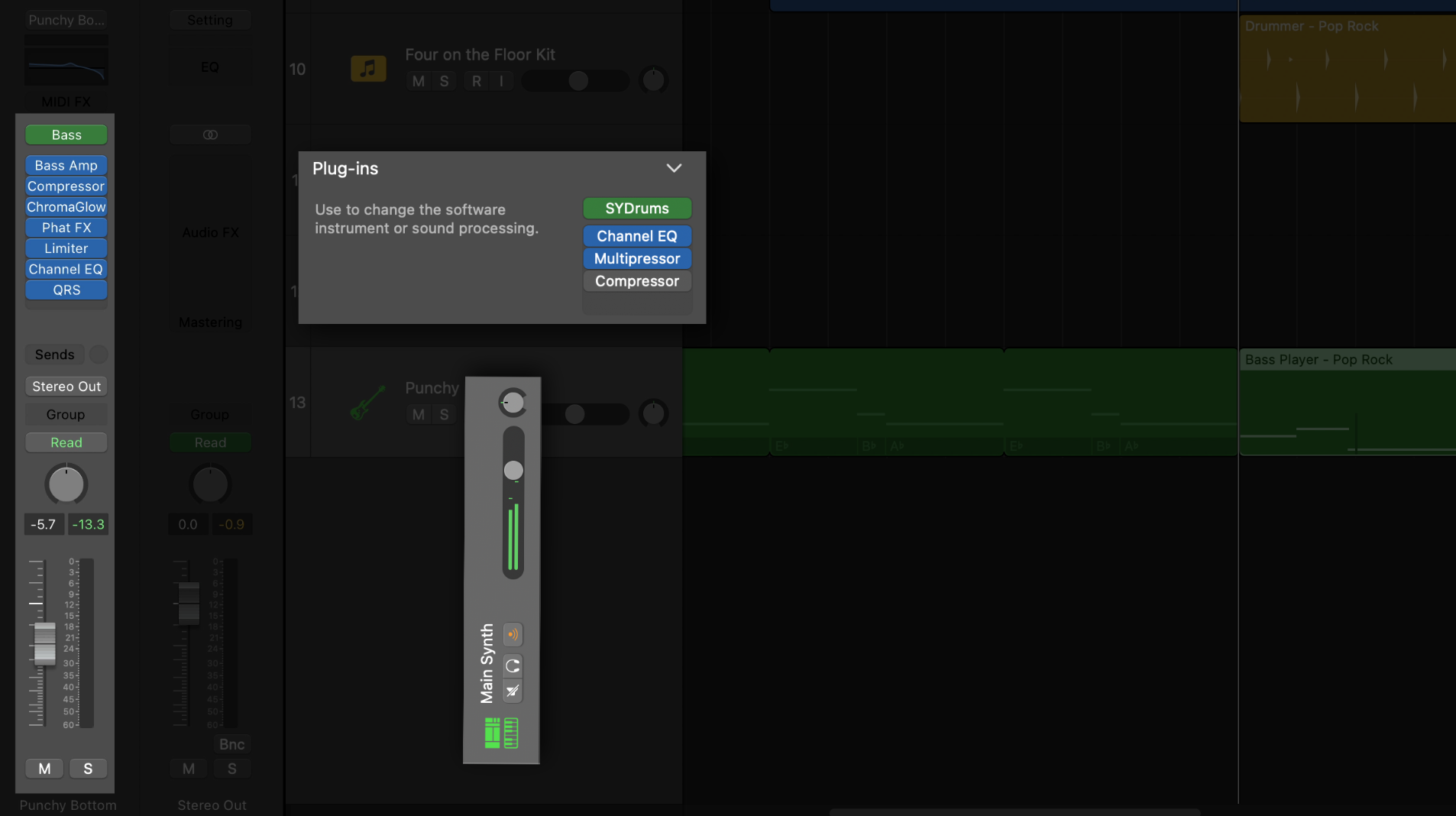
Each channel strip includes volume, pan, mute and solo controls, a visual EQ, and slots for instrument and effect plugins. Audio tracks include input and monitoring options, while MIDI tracks focus on instruments and processing.
There is also a Stereo Out channel strip that functions like GarageBand’s Master Track. This is where you control the final output of your project and apply mastering tools such as Logic’s Mastering Assistant.
Once channel strips make sense, much of Logic stops feeling mysterious.
Logic Pro’s Mixer can look intimidating, especially in larger projects. In practice, it is simply a collection of the same channel strips you have already seen, displayed side by side.
Instead of working on one track at a time, the Mixer gives you a real time overview of your entire project. This makes balancing levels, adjusting effects, and understanding signal flow far easier as your sessions grow.
Logic also shows additional channels that GarageBand hides, such as the click track and preview output. These can be filtered or hidden if needed, so the Mixer only shows what you care about.
Busses Are Not New, Just More Flexible
GarageBand users already use busses, even if they have never thought about them that way. The Master Reverb and Master Echo controls in GarageBand are global effects shared across tracks. That is a bus.
Logic expands this idea by letting you create as many busses as you like. You can route multiple tracks to the same reverb, delay, or compression chain, adjust how much each track sends to that bus, and tweak the effect once rather than duplicating it across tracks.
This approach is more efficient and more musical, especially for things like vocals or drums. While it adds flexibility, the core idea remains the same as GarageBand.
A Modernised Sound Library
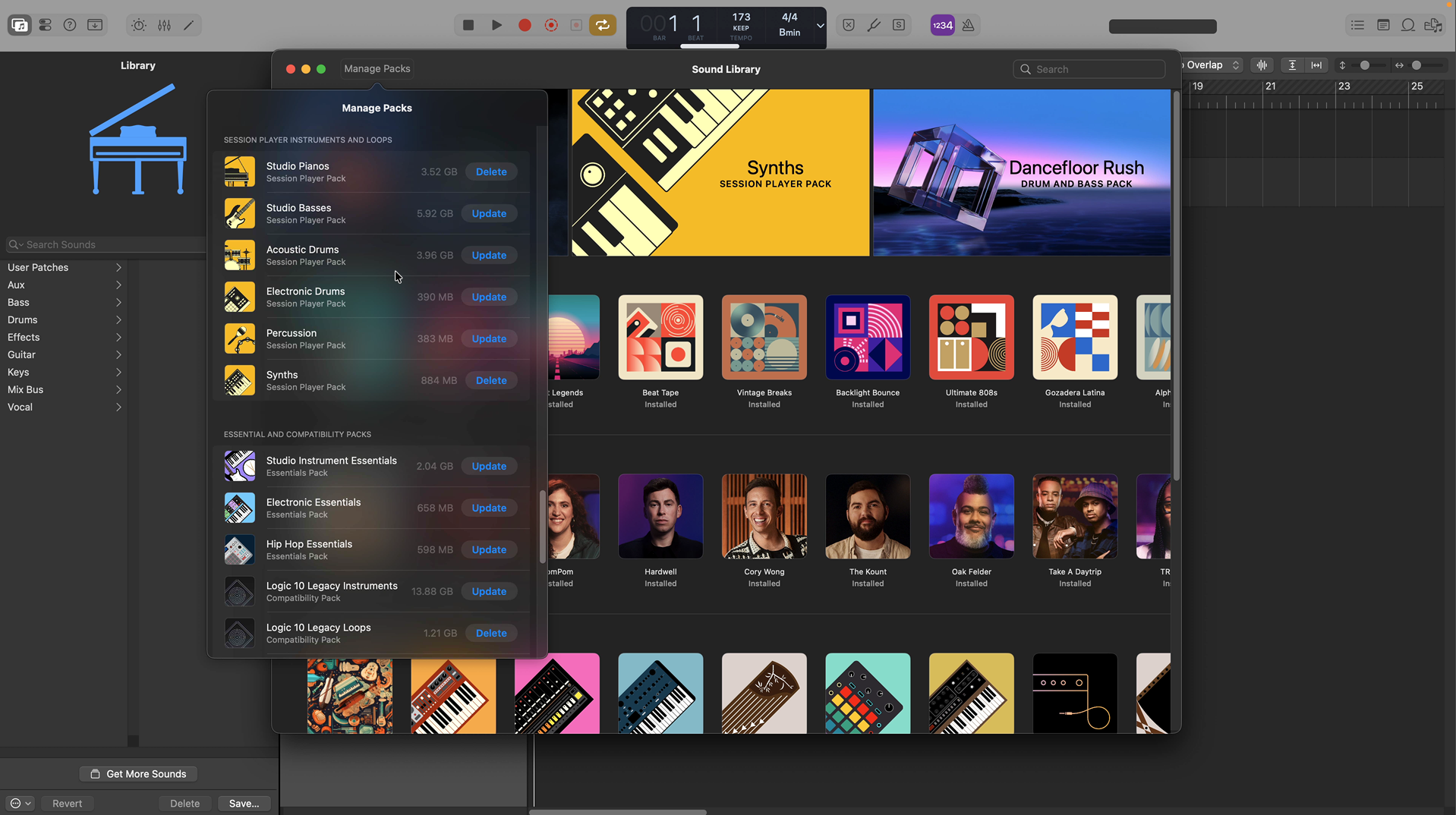
Logic Pro 12 introduced a redesigned Sound Library that closely mirrors what Logic Pro for iPad users have had since launch. Instead of scrolling through generic lists, sounds are presented as curated packs with artwork, previews, and clear descriptions.
If you have used GarageBand on iOS, this layout will feel instantly familiar. You can preview sounds before downloading them, watch behind the scenes videos for certain artist packs, and manage installed content from a single menu.
For new users, downloading the essential, compatibility, and session player packs is a sensible starting point.
Logic Pro is not a replacement for GarageBand so much as an expansion of it. The workflow, layout, and core concepts remain consistent, while the tools grow more flexible and more transparent.
For GarageBand users who have been curious but hesitant, the transition does not need to be scary. Logic Pro builds directly on what you already know, and it lets you decide how deep you want to go, when you are ready.
If you can use GarageBand confidently, you are already far closer to using Logic Pro than you might think.