Apple has positioned the MacBook Neo as a budget-friendly, entry-level laptop. The kind of machine designed for everyday productivity. Email, web browsing, schoolwork, video calls, streaming. The usual stuff.
But Apple also has a bit of a habit of wildly underestimating just how capable its Apple Silicon machines actually are.
Back when the M1 MacBook Air launched in 2020, plenty of people dismissed it as an ultra-light consumer laptop. Fast forward six years and people are still using that same machine daily for music production, video editing, photography work and all sorts of creative tasks.
After spending a few weeks using the MacBook Neo as my daily machine, I think Apple may have accidentally done it again.
Especially when it comes to music production.
The MacBook Neo Feels Far More Premium Than Its Price Suggests
The first thing that struck me about the MacBook Neo is that, despite being Apple’s most affordable MacBook, it really doesn’t feel cheap.
The aluminium body feels rigid and sturdy, the hinge is excellent, and yes, you can still open it one-handed like every other modern MacBook. It genuinely feels closer to a MacBook Pro than its price tag would suggest.
The keyboard is similarly impressive. Typing feels fantastic, sitting somewhere between the Magic Keyboard on the iPad Pro and the keyboard found on Apple’s more expensive MacBook models.
The one area where things do feel noticeably different is the trackpad.
Unlike the MacBook Air and MacBook Pro, the Neo uses a traditional mechanical click mechanism rather than Apple’s Force Touch haptic system. The entire trackpad physically depresses when clicked.
For some users, that may feel like a downgrade. Personally, I enable “tap to click” on every Mac I own within minutes of setting it up, so it makes almost no difference to my day-to-day usage. If you’ve ever used the original iPad Pro Magic Keyboard, the feeling here is very similar.
Around the front, you get a 13-inch Liquid Retina display with brightness sitting around 500 nits in SDR.
No, you don’t get the higher-end display technology found on the MacBook Pro lineup. There’s no mini-LED panel, no ProMotion, and features like True Tone are missing here too.
But honestly? For the audience this machine is aimed at, the display is absolutely fine.
Colour reproduction is more than good enough for GarageBand, light video editing, YouTube production, photo work and general creative tasks. Watching content looks great, Logic Pro looks great, and editing videos for YouTube feels perfectly comfortable.
Unless you’re doing genuinely colour-critical professional work, the display here is unlikely to bother you.
You’re Probably Going To Need A Dongle
Port selection is exactly what you’d expect from a lightweight Apple laptop in 2026.
You’re mainly dealing with USB-C / Thunderbolt ports alongside a headphone jack. That’s it.
For everyday users, this minimal approach probably makes sense. The Neo is clearly designed around portability and simplicity rather than desktop-style expansion.
For music production though, you’re almost certainly going to want a dongle or USB hub if you plan on connecting audio interfaces, MIDI controllers, SSDs or external displays.
The good news is that performance when connected to an external 4K monitor is excellent. In my testing, the MacBook Neo felt just as smooth and responsive connected to my monitor as it did using the built-in display.
There is one important limitation worth mentioning though: the Neo only supports a single external monitor. If your workflow relies on multi-monitor setups, you’ll need to look higher up Apple’s lineup.
Is 8GB of RAM Enough?
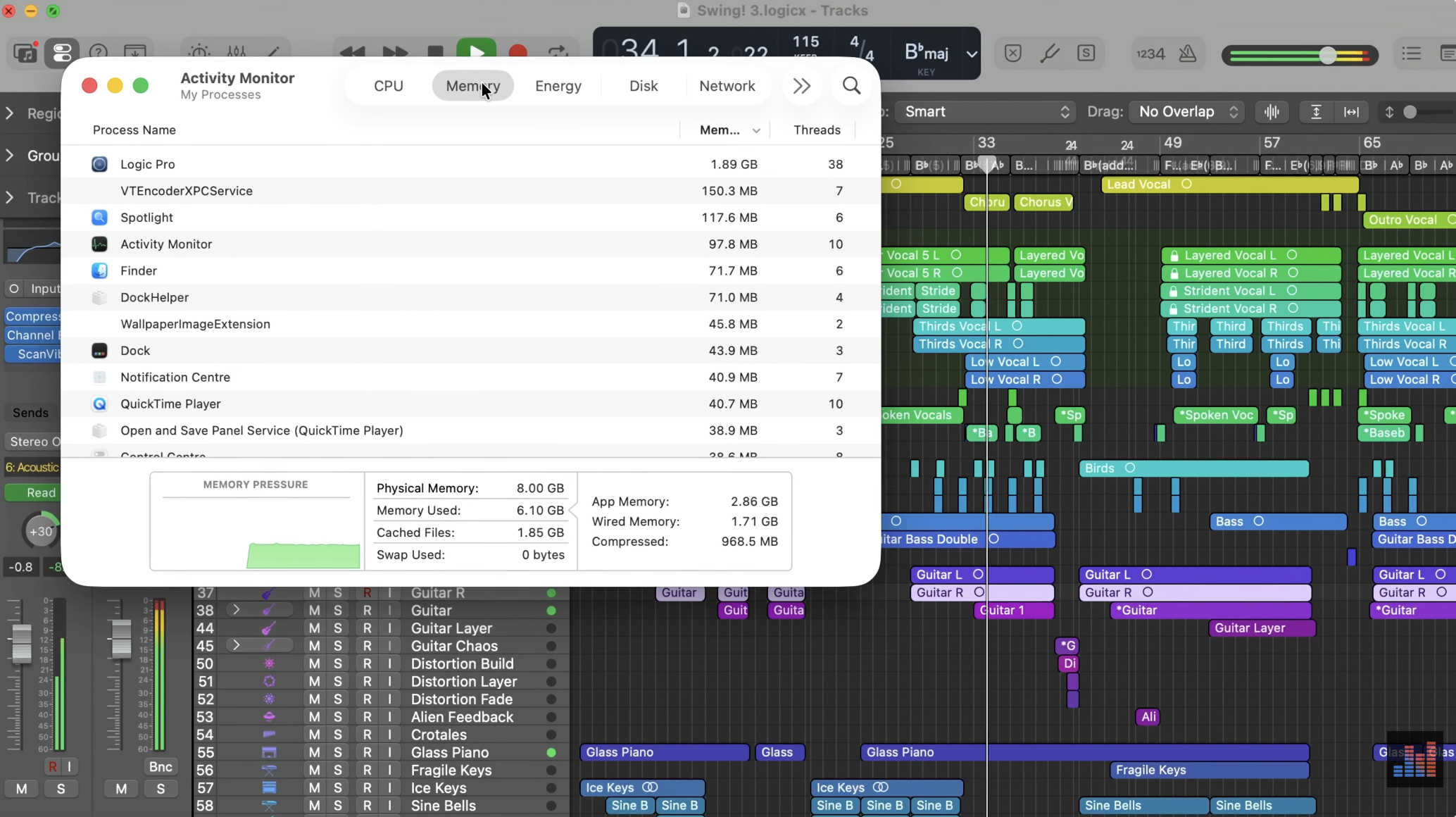
This is the part everybody immediately focuses on.
8GB of RAM.
On paper, in 2026, that sounds tiny. Especially online, where tech discourse has reached the point where some people act like anything under 16GB is essentially unusable.
But context matters.
The MacBook Neo is not trying to replace a MacBook Pro. It isn’t designed for somebody running massive orchestral templates in Logic Pro, editing multiple streams of 8K footage, or loading enormous professional sessions packed with plugins.
Instead, Apple seems to have targeted a very specific type of user.
And for that user, 8GB actually makes a surprising amount of sense.
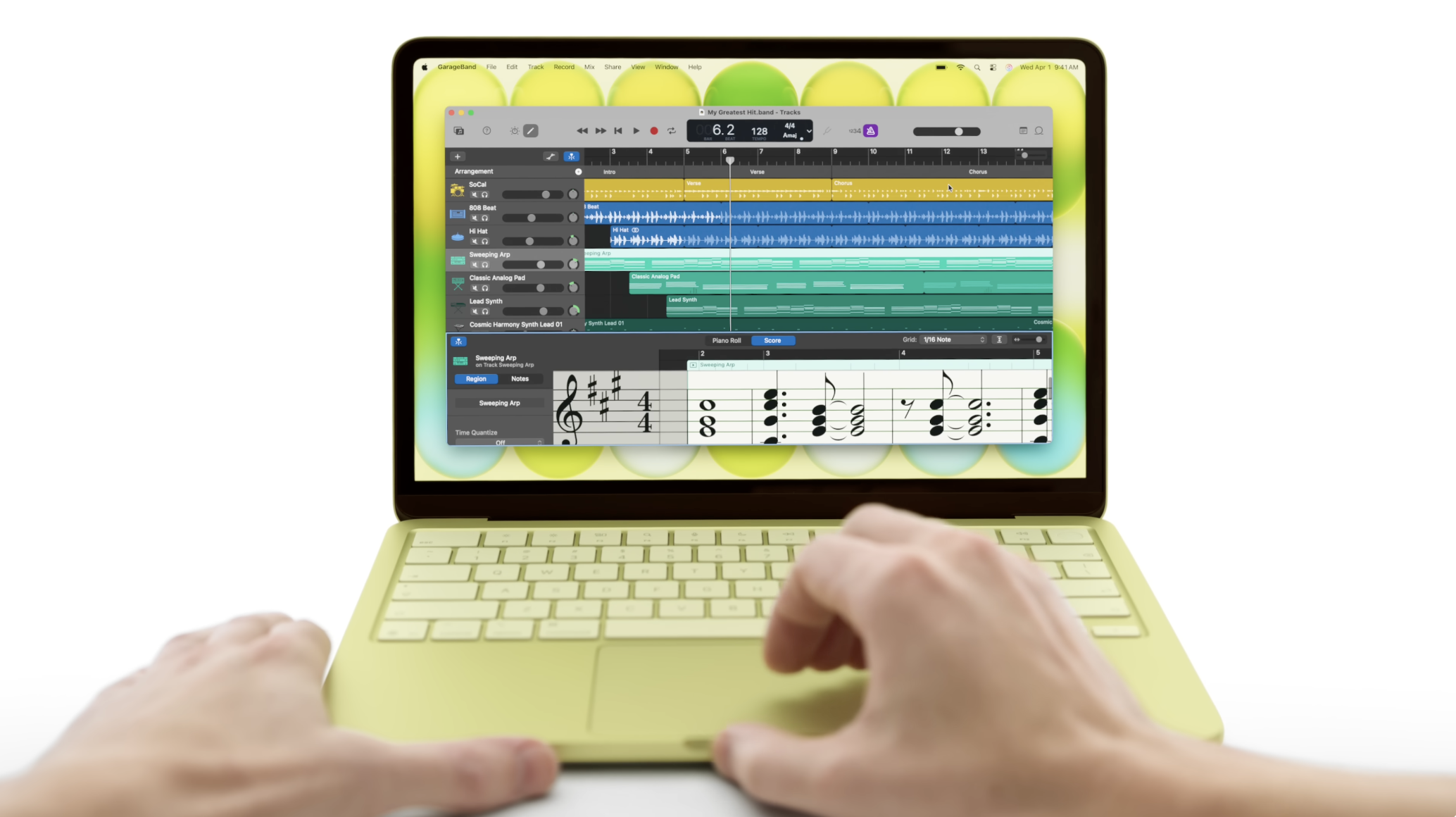
For GarageBand projects, songwriting, beat making, podcast editing, student work, web browsing, office work, streaming and lighter Logic Pro sessions, the MacBook Neo feels remarkably responsive.
Apple Silicon remains incredibly efficient with memory management compared to older Intel machines, and because of that, the 8GB here stretches far further than many people probably expect.
During testing, I comfortably ran GarageBand projects with software instruments, audio tracks, plugins and plenty of Safari tabs open in the background without issue. In fact, I genuinely struggled to push the Neo particularly hard using GarageBand alone.
To really stress test the MacBook Neo, I loaded up the Logic Benchmark project from Music-Prod.com, a benchmark I’ve used numerous times when testing iPads and Macs for music production.
The premise is simple:
- Open the benchmark project
- Set Logic’s buffer size to 1024 samples
- Start playback
- Unmute tracks one by one until the machine overloads
According to Music-Prod.com’s published results, the MacBook Neo should manage around 55 tracks before throwing a system overload warning.
In my own testing, I managed to squeeze 59 tracks out of the Neo before it finally gave up.
That was after a fresh restart with no other apps running, so keep that in mind. That’s still pretty impressive for Apple’s cheapest MacBook.
For comparison:
- M5 MacBook Air: 155 tracks
- 2020 M1 MacBook Air (8GB RAM): 80 tracks
- M4 Mac Mini: 133 tracks
- Base model M5 MacBook Pro: 179 tracks
Considering the MacBook Neo is effectively powered by an iPhone-class chip inside a MacBook chassis, 59 tracks is far from embarrassing.
If you were wondering whether this machine is capable of “real” home studio music production, there’s your answer.
Where the Neo Shows its Limits
Interestingly, music production isn’t really where the MacBook Neo struggles most.
That honour probably goes to Final Cut Pro.
Can the Neo run Final Cut? Absolutely. It handles lighter editing workflows surprisingly well.
But compared to Logic Pro or GarageBand, you’ll run into the machine’s limitations far more quickly. Multi-layered 4K timelines, complex effects and heavy multicam workflows will push the Neo much harder than audio production ever will.
Which honestly says a lot about how efficient modern music production workflows have become on Apple Silicon.
Who Is The MacBook Neo Actually For?
The MacBook Neo sits in a genuinely interesting sweet spot within Apple’s lineup.
It gives people access to:
- The Mac ecosystem
- Apple Silicon performance
- Excellent battery life
- GarageBand
- Logic Pro
- Apple Creator Studio apps
…without forcing them into MacBook Air or MacBook Pro pricing.
If you’re a beginner music producer, a student, somebody upgrading from an older Intel MacBook, or even an iPad user looking for their first “proper” computer for music production, the MacBook Neo makes a lot of sense.
No, it’s not a MacBook Pro replacement, but that might be why it works so well.