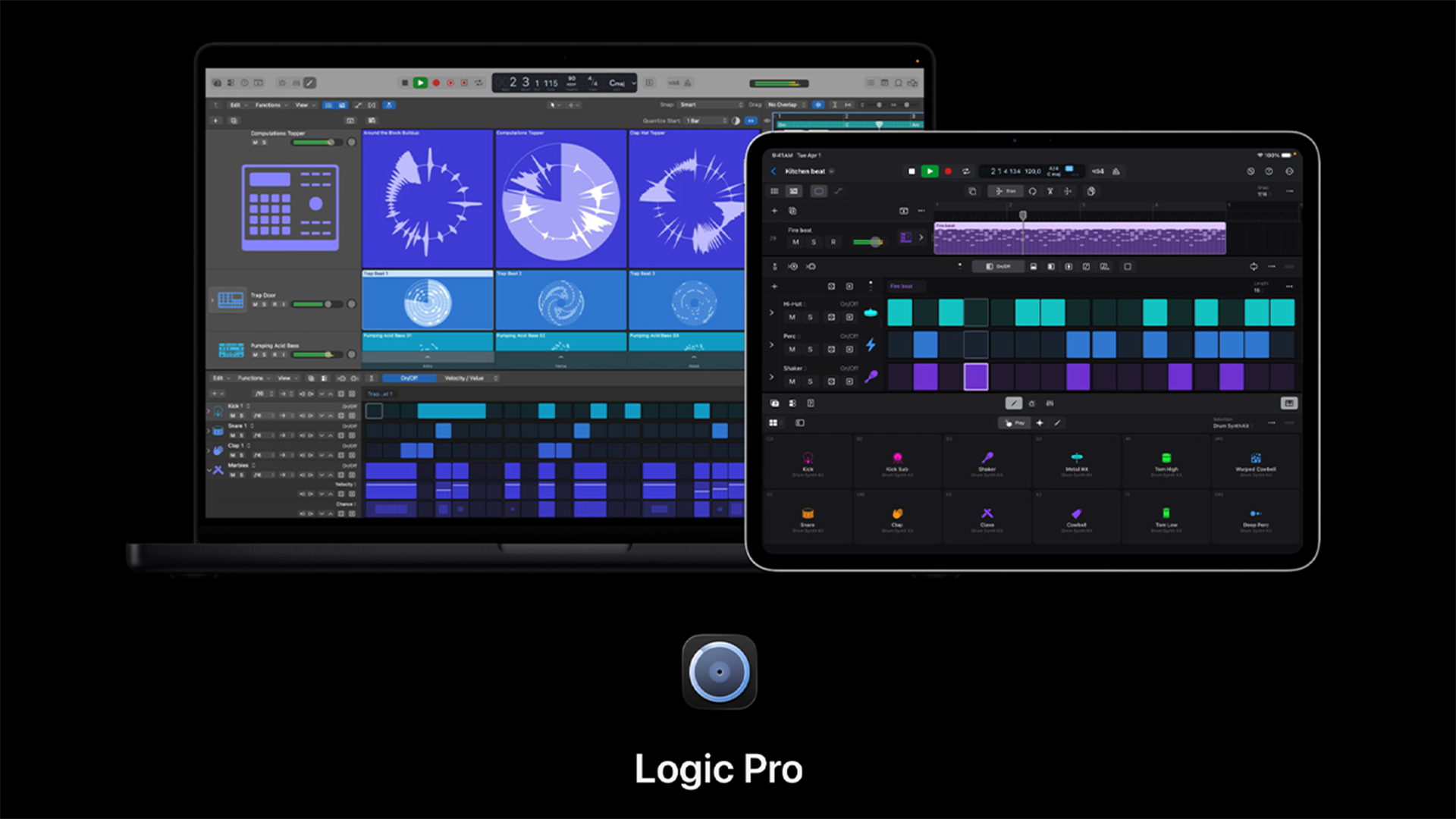
Apple’s announcement of Apple Creator Studio signals a big change in direction for Logic Pro on the Mac and the iPad. Apple is clearly rethinking how music creation should work on macOS and iPadOS.
If Logic Pro is part of your everyday workflow, this upcoming update is likely to influence both how you make music and when it makes sense to upgrade your hardware.
Universal New Features Coming to Logic Pro
Apple has built on already popular features with the new additions launching with the upcoming Logic Pro refresh. These new additions will land on both the Mac and iPad versions of the App.
Synth Player

Synth Player brings an intelligent way to create synth parts. Instead of starting with an empty track or endless preset browsing, users can create synth lines that sound good and fit the project.
Like Logic’s other AI musicians, its made for writers and producers who want to stay in the creative zone without having to design sounds from scratch.
If you’ve used any of Logic Pro’s existing Session Players, you’ll feel right at home here. Promo screenshots show adjustable LFO’s and other controls will be available.
Chord ID

Chord ID looks at audio or MIDI and finds the harmonic structure underneath. This is especially helpful when working with imported stems, recorded instruments or older projects that don’t have any chords written down. When you use it with Logic’s Chord Track, making harmonic changes becomes faster and easier.
The chord track was a welcome addition to Logic Pro last year. Chord ID makes the process of dynamically adding Session Players to your projects even easier.
Logic Pro for iPad Updates
The following new features will only appear in the iPad version of Logic Pro.
Quick Swipe Comping
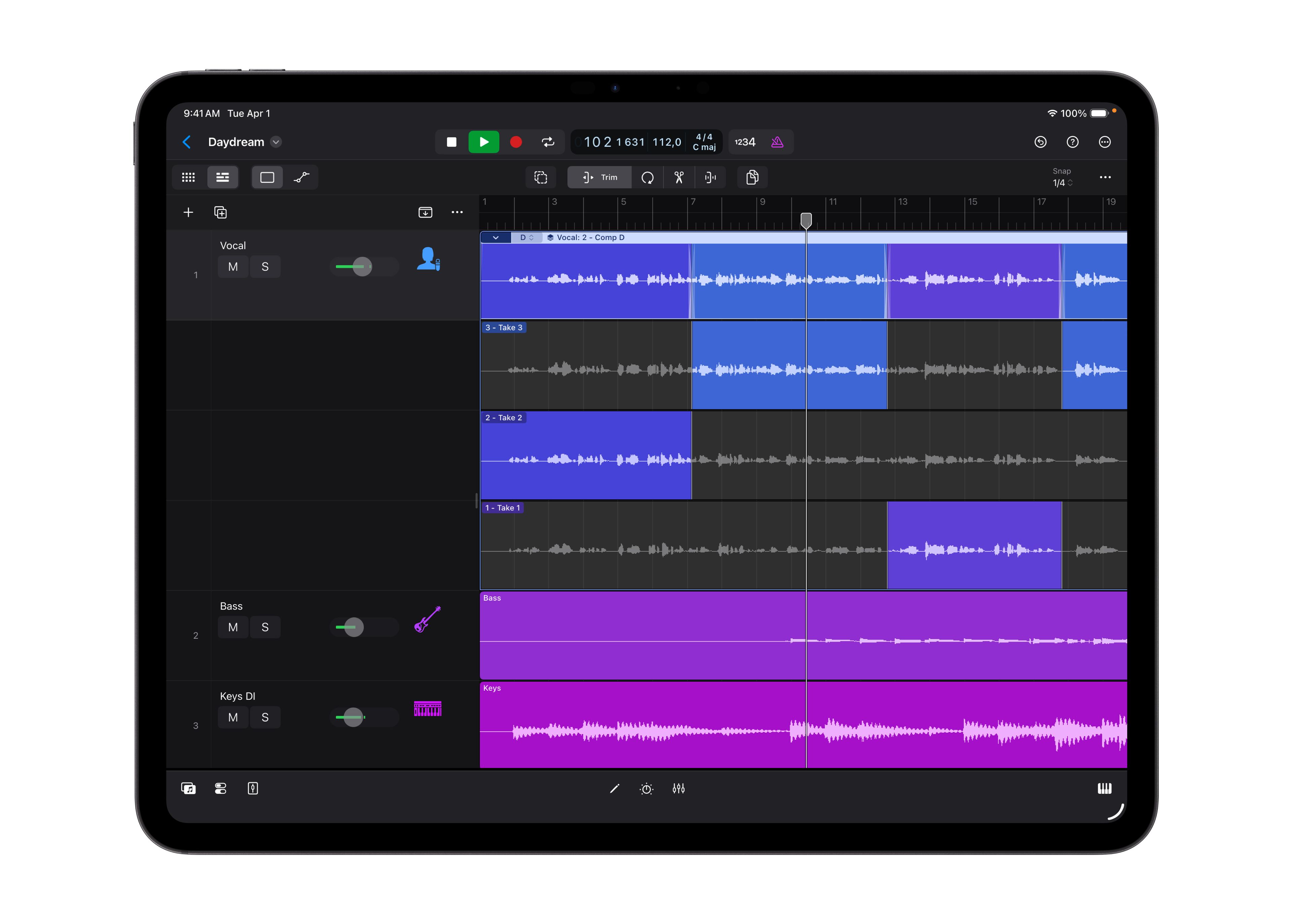
Quick Swipe Comping has been present in the Mac version of Logic Pro for a while now and it’s finally coming to iPad. This allows you to quickly switch between different takes in a comped vocal stack. In Logic Pro for Mac this can also automatically creates cross fades between comped regions and judging from the screenshots available on Apple’s new Logic pro page, this looks to be the case on Logic Pro for iPad too.
Music Understanding

Logic Pro for iPad also gets Music Understanding features with natural language search in the Sound Browser to help users describe a loop or find similar loops without having to trawl through individual loops in a category, use tags, or filters. his is apparently all AI-based and – in theory – should allow for ‘vibes based searching through Logic’s hundreds of loops, instruments and patterns.
Logic Pro for Mac Updates
The following features will be aded to Logic Pro for Mac only.
Expanded Built In Sound Library
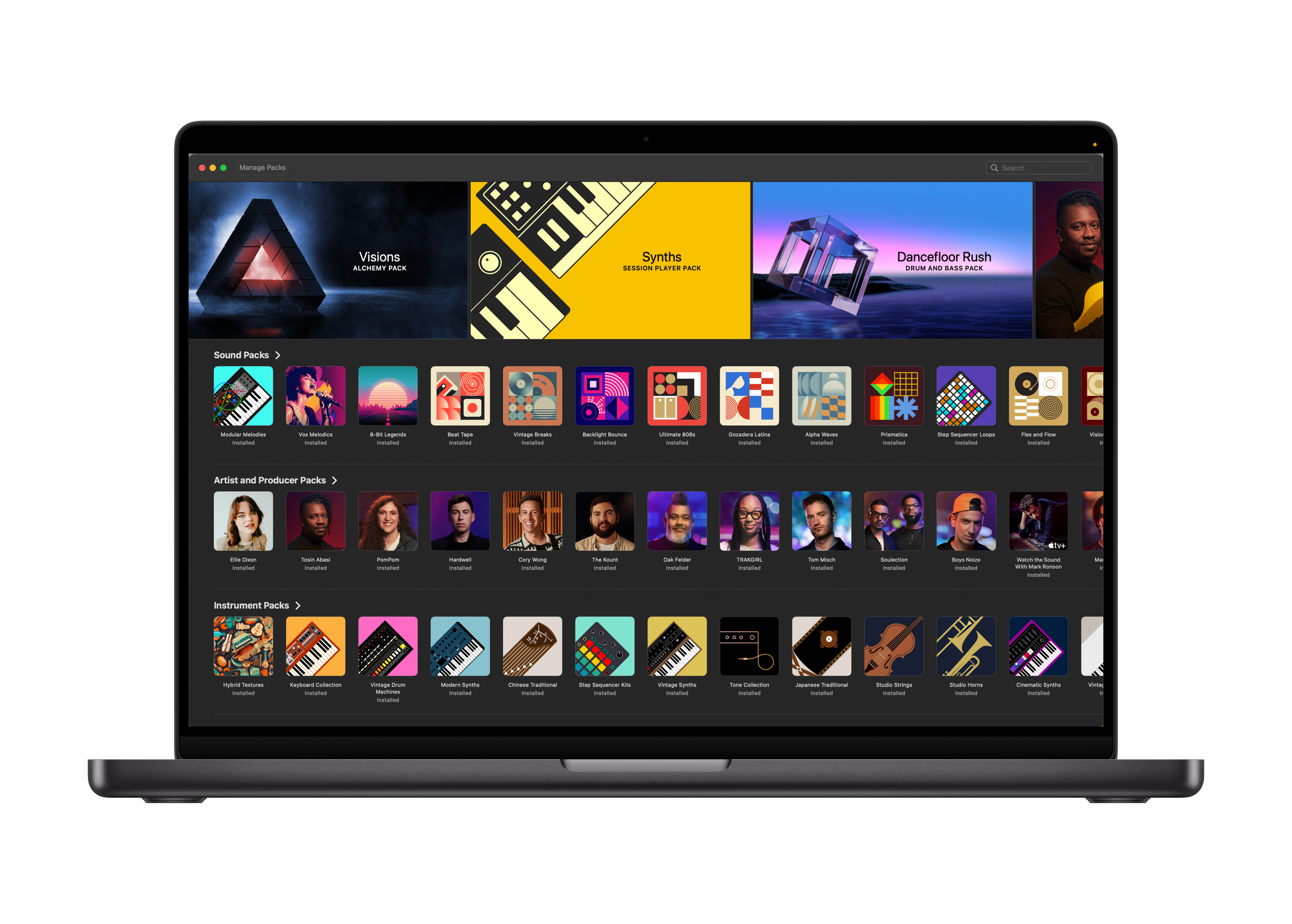
Apple have ported across the Sound Library from Logic Pro for iPad, allowing for easier management of your Apple-made sounds. Each Sound Pack now features its own artwork, a clear description of what it contains, plus dedicated videos for Artist and Producer Packs which add some flavour to proceedings.
Hopefully this also signals that Logic Pro for Mac and Logic Pro for iPad will receive new Sound Pack content simultaneously in future.
Apple Silicon Requirement
The system requirements for Logic Pro for iPad require users to be running iPadOS26 on their machine, though the iPad models that can run LP4iP haven’t changed. Any model running an A12 bionic chip or later can install and run Logic, though some features do require an iPad with an M1 chip or newer to operate.
The version of Logic Pro for Mac that ships with Apple Creator Studio requires an Apple Silicon Mac. Intel-based machines won’t be getting this update. If you currently run an Intel based Mac, don’t panic; your existing Logic Pro will still work, but you won’t be able to use the new features on Intel hardware.
This update is in line with what Apple has already done with other professional apps.
The minimum macOS version has gone up to keep up with the new hardware. Users will need to be running macOS 26 to access this new version of Logic Pro.
Note: Whether you’ve previously bought Logic Pro for Mac as a one time purchase or plan to dive in as part of the new Apple Creator Studio subscription, ALL FEATURES are identical on both ‘versions’.
What This Means for GarageBand and Logic Users
For GarageBand users thinking about switching to Logic Pro, this update makes it easier to get started. Tools like Chord ID and Synth Player make setting up quicker and encourage you to try things out without feeling too overwhelmed.
For Logic Pro users who are already using it, the message is clear. Apple is making Logic Pro better for performance and future updates, even if that means saying goodbye to older machines. Users who are already on M series Macs are likely to see this update as a great improvement rather than a big change.
Existing Logic Pro users can expect an update which includes the features mentioned on January 28th 2026. Apple Creator Studio launches on the same day.